Website backups and the 3-2-1 rule: don’t wait until you lose data
A backup stored on the same server as your site disappears with your site. This guide explains the 3-2-1 rule, how to apply it to WordPress, and the step almost everyone skips: testing a restore.
⚑Quick summary
- Backups on the same server disappear with the site.
- Keep them long enough to outlast dormant malware.
- Test restores regularly to know your backups actually work.
Almost every site owner believes they have backups. The host says “daily backups”, after all. Then the day comes to restore and it turns out the backups are only kept for three days, or they live on the same server that just failed, or the malware got into them too.
Stage 01What the 3-2-1 rule means
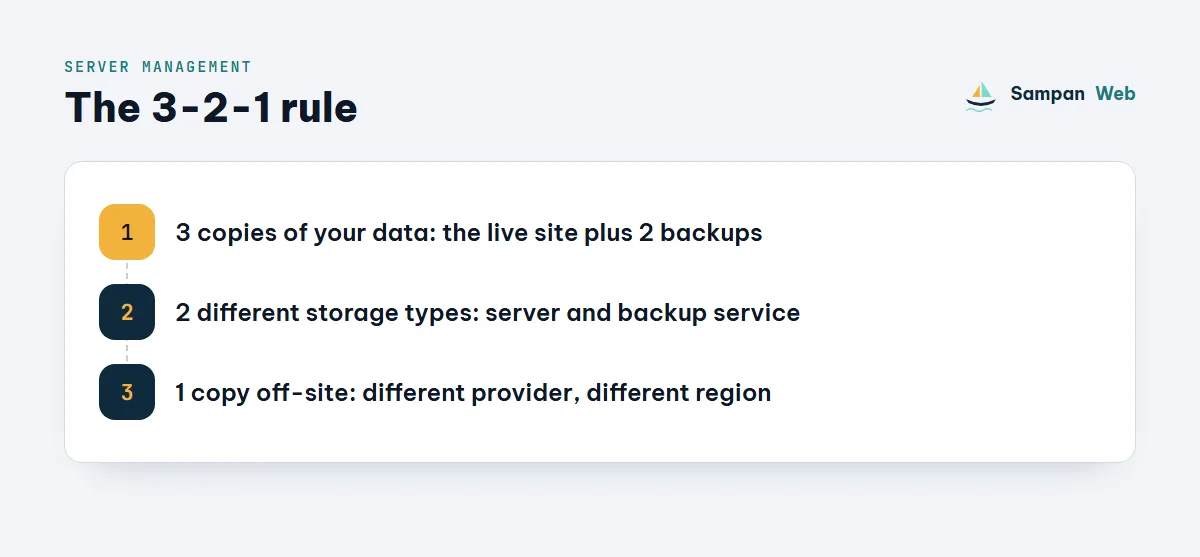
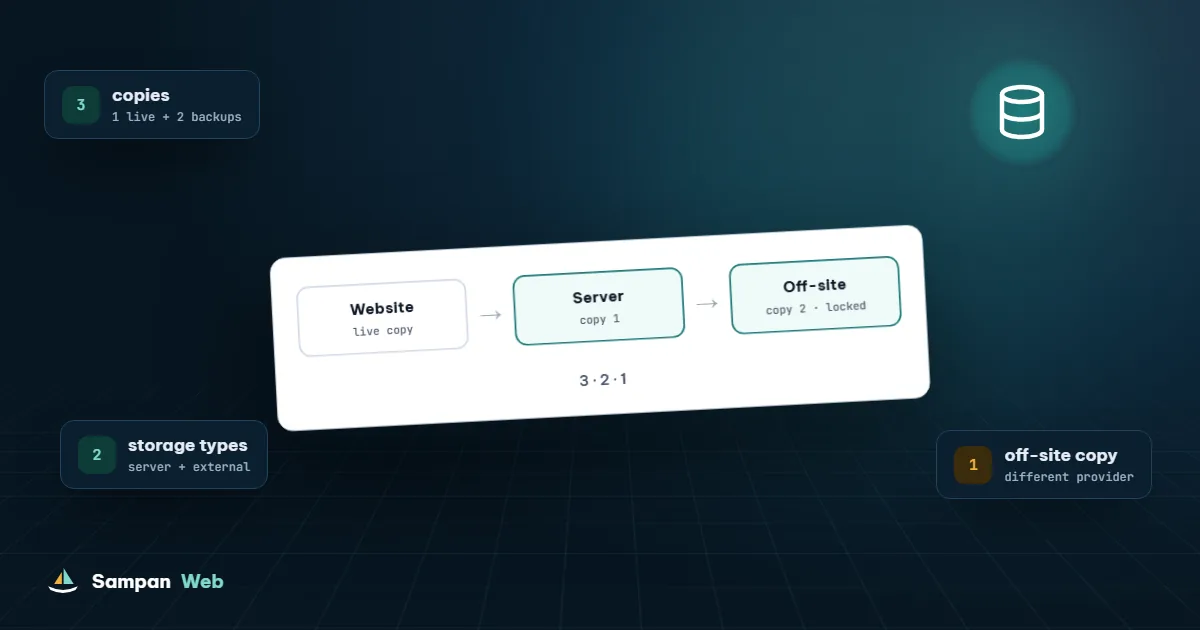
The idea is simple: never keep every copy in one place. If the server dies, the provider has an outage, the account gets locked or ransomware encrypts your data, you still have at least one safe copy.
Stage 02Applying it to WordPress
What to back up
- The database: posts, pages, orders, users, settings. It changes every day.
- The wp-content folder: images, themes, plugins.
- wp-config.php and your server configuration files.
How often
It depends on how often things change. A brochure site that’s rarely updated is fine with weekly backups. An online store should back up its database daily, or every few hours in peak season.
How long to keep them
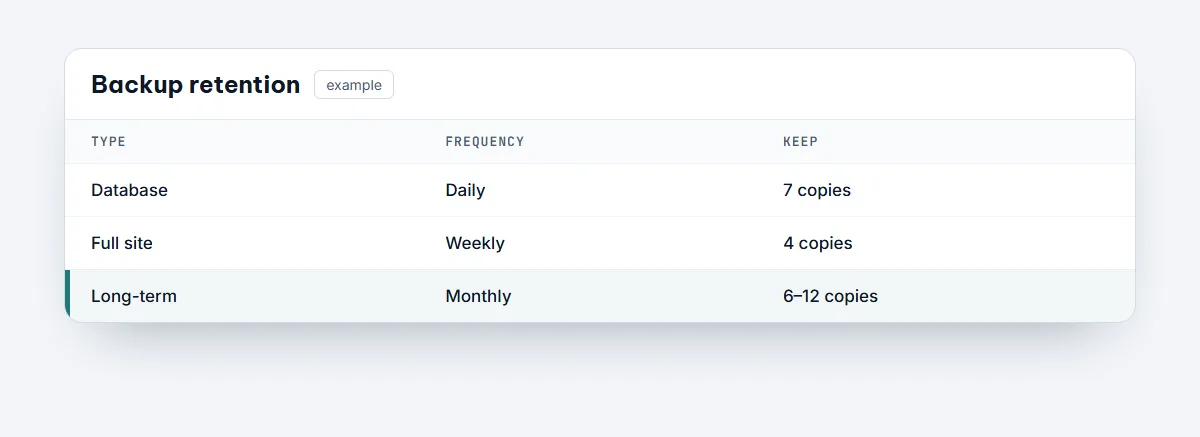
This is the part people underestimate. Malware can sit quietly for weeks before anyone notices. If you only keep the last seven backups, all seven may be infected. A sensible retention: seven daily, four weekly and a few monthly copies.
Stage 03Where to store them
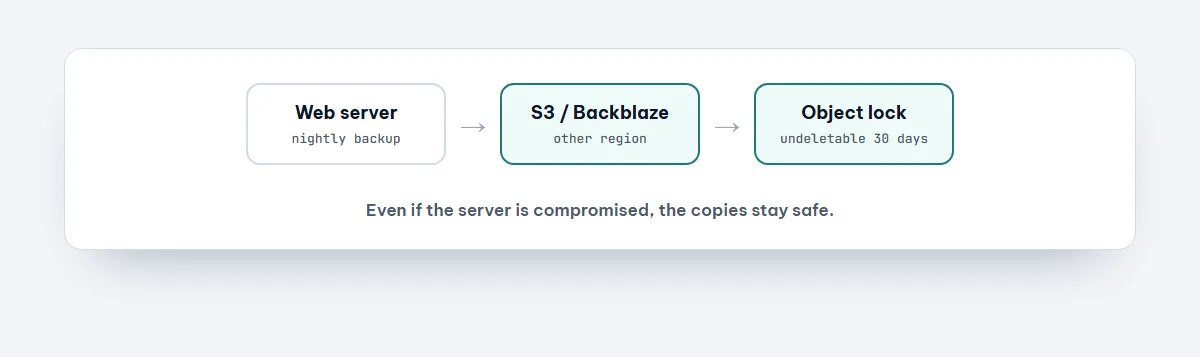
The first copy can sit on the server for fast restores. The second should be with a different service: Google Drive, Dropbox, Amazon S3, Backblaze or another server. If you use object storage, turn on object lock or versioning so backups can’t be deleted or overwritten, even by someone who gets your credentials.
Stage 04The most important step: test a restore
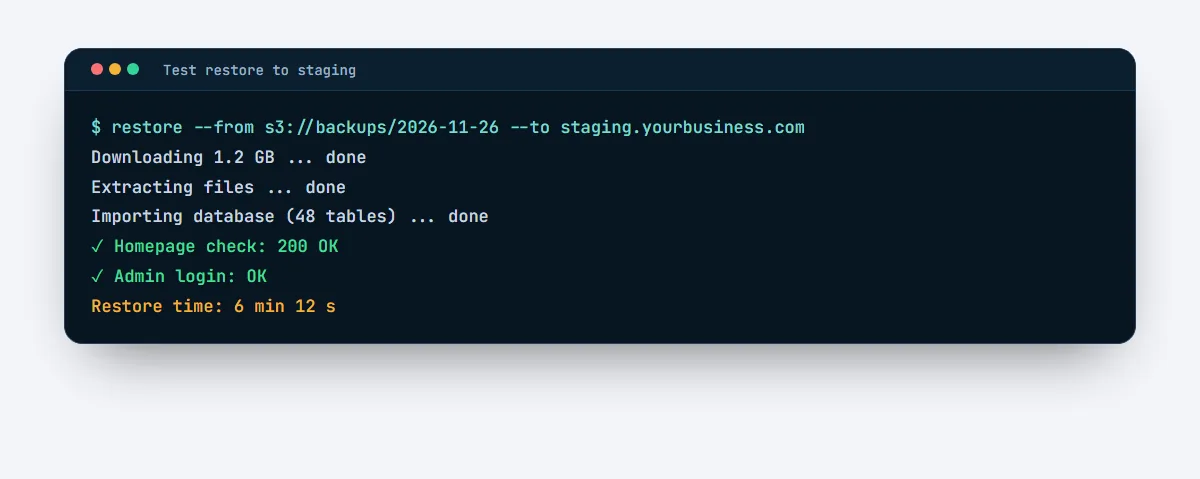
A backup you’ve never restored is a backup you can’t count on. Corrupted archives, a missing database, wrong character encoding: we’ve seen all of them. Restore to a test site at least every few months. It takes an hour, and you’ll sleep much better.
Stage 05Short checklist
- Backups run automatically, not when someone remembers.
- At least one copy is with a different provider.
- You keep them long enough to outlast malware that lies dormant.
- You get an email when a backup fails.
- You test restores regularly.
All our server management plans include on-server and off-site backups, and the Enterprise plan adds regular restore tests.
24/7 monitoring, incidents picked up within 15 minutes.